
Exterior and interior lights
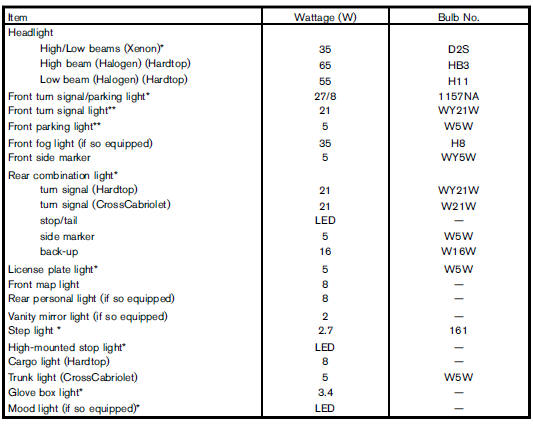
*: See a NISSAN dealer for replacement.
**: Xenon headlight model
NOTE: Always check with the Parts Department at a NISSAN dealer for the latest information about parts.
Replacement procedures
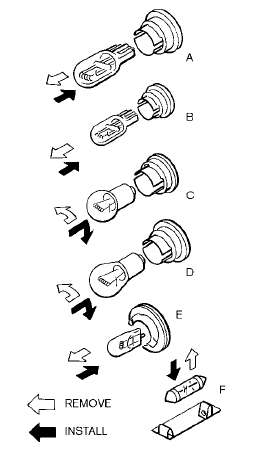
All other lights are either type A, B, C, D, E or F.
When replacing a bulb, first remove the lens and/or cover.
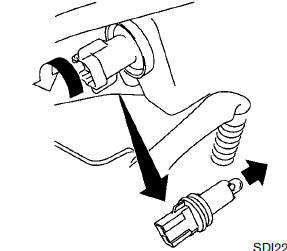
Side marker light (Halogen headlight model)
1. Remove the rubber cover. (See “Headlights”
earlier in this section.)
2. Remove the bulb as illustrated.
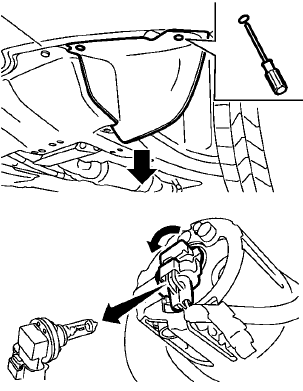
Front fog light (if so equipped)
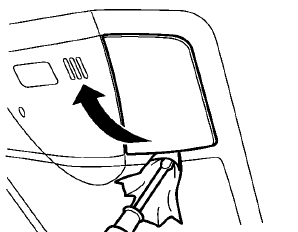
Front map light
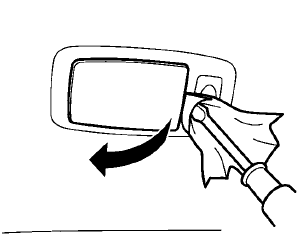
Rear personal light (if so equipped)
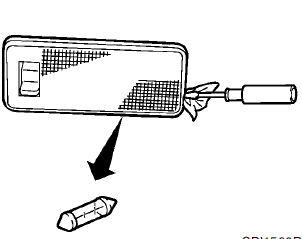
Cargo light (Hardtop models)
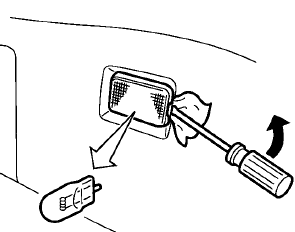
Trunk light (CrossCabriolet models)
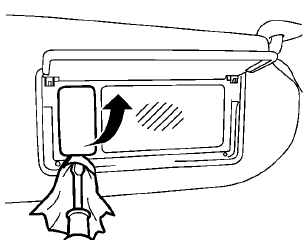
Vanity mirror light (if so equipped)
See also:
Luggage side box (Hardtop models)
To open the luggage side box, pull up the strap. ...
Battery
● Keep the battery surface clean and dry.
Clean the battery with a solution of baking
soda and water.
● Make certain the terminal connections are
clean and securely tightened.
χ ...
Special winter equipment
It is recommended that the following items be
carried in the vehicle during winter:
• A scraper and stiff-bristled brush to
remove
ice and snow from the windows and wiper
blades.
• A sturdy ...