
Speaker Adaptation function
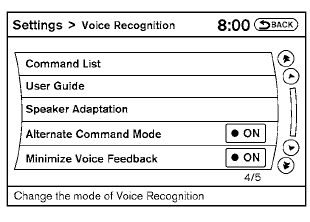
The Voice Recognition system has a function to learn the user’s voice for better voice recognition performance. The system can memorize the voices of up to three persons.
Having the system learn the user’s voice
1. Press the SETTING button on the instrument
panel, select the “Others” key on the
display.
2. Select the “Voice Recognition” key.
3. Select the “Speaker Adaptation” key.
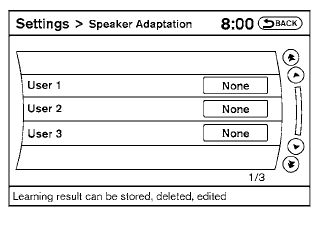
4. Select the user whose voice is to be memorized by the system.
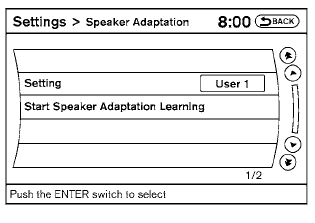
5. Select a category to be learned by the system from the following list:
● Phone
● Navigation
● Information
● Audio
● Help
The voice commands in the category are displayed.
6. Select a voice command to train.
The Voice Recognition system starts.
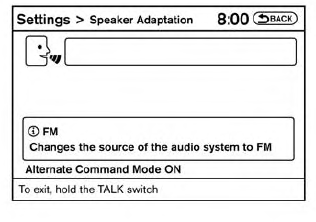
7. The system requests that you repeat a command
after a tone. This command is also
displayed on the screen.
8. After the tone sounds and the icon on the
screen changes from  to
to
 , speak
the command that the system requested.
, speak
the command that the system requested.
9. When the system has recognized the voice
command, the voice of the user is learned.
Press the  button or the BACK
button to
return to the previous screen.
button or the BACK
button to
return to the previous screen.
If the system has learned the command correctly, the voice command indicator on the screen turns on.
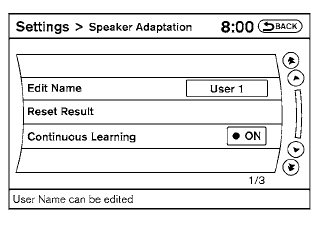
Speaker Adaptation function settings
Edit Name:
Edit the user name using the keypad displayed on the screen.
Reset Result:
Resets the user’s voice that the Voice Recognition system has learned.
Continuous Learning:
When this item is turned to ON, you can have the system learn the voice commands in succession, without selecting commands one by one.
See also:
Canceling a remote start
To cancel a remote start, perform one of the
following:
● Aim the Intelligent Key at the vehicle and
press and hold until the parking
lights
turn off.
● Turn on the hazard warning ...
Dual pop-up roll bar system (CrossCabriolet
models)
The dual pop-up roll bars are designed to
deploy only during rollover collisions. The dual
pop-up roll bars are located behind the rear
seatback and deploy when the Air bag Control
Unit (ACU) ju ...
Break-in schedule
CAUTION
During the first 1,200 miles (2,000 km),
follow these recommendations to obtain
maximum engine performance and
ensure the future reliability and economy
of your new vehicle. Failure to
f ...