
Security systems
Basic Information
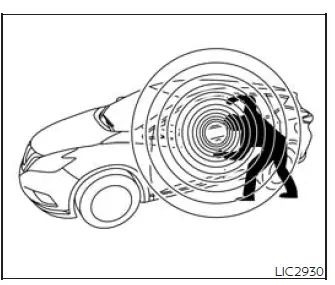
Your vehicle has two types of security systems designed to help protect the vehicle and support proper access control:
- Vehicle security system
- NISSAN Vehicle Immobilizer System
Vehicle security system
Basic Information
The vehicle security system provides visual and audible alarm signals if someone opens the doors, liftgate or the hood when the system is armed. It is not, however, a motion detection type system that activates when a vehicle is moved or when a vibration occurs. In practical use, this means the system is focused on unauthorized opening of protected access points rather than movement or impact detection.
The system helps deter vehicle theft but cannot prevent it, nor can it prevent the theft of interior or exterior vehicle components in all situations. Always secure your vehicle even if parking for a brief period. Locking the Nissan Murano and checking that valuable items are not left visible are simple habits that improve everyday security.
Never leave your Intelligent Key in the vehicle, and always lock the vehicle when unattended. Keeping the key with you helps prevent unauthorized access and avoids situations where the vehicle may remain easier to enter or operate.
Be aware of your surroundings, and park in secure, well-lit areas whenever possible. A visible, well-lit parking location can reduce the risk of theft or tampering and makes it easier to notice suspicious activity around the vehicle.
Many devices offering additional protection, such as component locks, identification markers, and tracking systems, are available at auto supply stores and specialty shops. A NISSAN dealer may also offer such equipment. Check with your insurance company to see if you may be eligible for discounts for various theft protection features. These additional measures can complement the built-in Nissan Murano security systems, especially for drivers who frequently park in public or unfamiliar areas.
How to arm the vehicle security system
1. Close all windows and the moonroof (if so equipped). The system can be armed even if the windows and moonroof are open. Closing them first is still recommended because it helps secure the cabin and reduces the chance of accidental access.
2. Remove the Intelligent Key from the vehicle. The key should remain with the driver or authorized user before the vehicle is locked and left unattended.
3. Close all doors, hood and liftgate. Lock all doors. The doors can be locked with the Intelligent Key, door handle request switch or power door lock switch. Before walking away, make sure each opening is fully closed so the system can arm correctly.
Key fob operation: If during the pre-armed phase one of the following occurs, the system will not arm. These conditions indicate that the vehicle has been accessed, unlocked, or placed into a mode that prevents the security system from completing the arming process:
- A door is opened with the release button with the Intelligent Key on your person.
- The doors are unlocked using the unlock button on the Intelligent Key.
- The ignition switch is placed in the AUTO ACC or ON position.
- Even when the driver and/or passengers
are in the vehicle, the system will
activate when all the doors, hood and
liftgate are locked with the ignition
switch placed in the LOCK position.
When placing the ignition switch in the AUTO ACC or ON position, the system will be released. This prevents the alarm from remaining armed while the Nissan Murano is being prepared for normal use.
Vehicle security system activation
The vehicle security system will give the following alarm when it is triggered. The alarm is designed to draw attention to possible unauthorized access and to make the vehicle more noticeable when a protected entry point has been opened improperly:
- The turn signals blink and the horn sounds intermittently. These visual and audible signals help alert people nearby that the vehicle security system has been activated.
- The alarm automatically turns off after a
period of time. However, the alarm reactivates
if the vehicle is tampered with
again. The alarm can be shut off by unlocking
the driver's door or liftgate by
pressing the
 button on the
Intelligent
Key. This allows the authorized user to stop the alarm using the correct key operation.
button on the
Intelligent
Key. This allows the authorized user to stop the alarm using the correct key operation.
The alarm is activated by the following condition, which indicates that the Nissan Murano security system has detected access without the proper unlocking procedure:
- Opening the door or liftgate without using the Intelligent Key (even if the door is unlocked by releasing the door inside lock switch). In this situation, the system treats the opening as unauthorized because the vehicle was not disarmed through the approved key operation.
How to stop an activated alarm
The alarm stops only by unlocking the driver's
door or the liftgate by pressing the
 button on the Intelligent Key or
pushing
the request switch on the driver's or
passenger's door with the Intelligent Key in
range of the door handle. This confirms that the correct key is present and allows the vehicle security system
to be disarmed properly.
button on the Intelligent Key or
pushing
the request switch on the driver's or
passenger's door with the Intelligent Key in
range of the door handle. This confirms that the correct key is present and allows the vehicle security system
to be disarmed properly.
NISSAN Vehicle Immobilizer System
Basic Information
The NISSAN Vehicle Immobilizer System will not allow the engine to start without the use of a registered key. This system adds an important layer of protection by requiring a recognized key before the engine can be started.
Never leave these keys in the vehicle. Keeping the registered key with you helps protect the Nissan Murano from unauthorized use and avoids situations where the vehicle may be left vulnerable while unattended.
FCC Notice:
For USA:
This device complies with Part 15 of the FCC Rules. Operation is subject to the following two conditions: (1) This device may not cause harmful interference, and
(2) this device must accept any interference received, including interference that may cause undesired operation.
NOTE:
Changes or modifications not expressly approved by the party responsible for compliance could void the user's authority to operate the equipment.
For Canada:
This device contains licence-exempt transmitter(s)/receiver(s) that comply with Innovation, Science and Economic Development Canada's licence-exempt RSS(s). Operation is subject to the following two conditions: (1) This device may not cause interference. (2) This device must accept any interference, including interference that may cause undesired operation of the device.
See also:
Engine
This spark ignition system complies with the Canadian standard ICES-002. ...
Meters and gauges
1. Tachometer
2. Warning/indicator lights
3. Vehicle Information Display
4. Speedometer
5. Fuel gauge
6. Odometer/Twin trip odometer
7. Engine coolant temperature gauge ...
How to park with predictive course lines
WARNING
• Always turn and check that it is
safe
to park your car before backing up.
Always back up slowly.
• Use the displayed lines as a reference.
The lines are highly affected
by th ...