
Storage
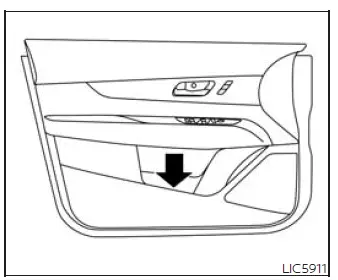
Front-door pockets
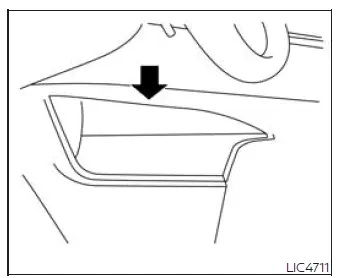
Lower console storage tray
Seatback pockets
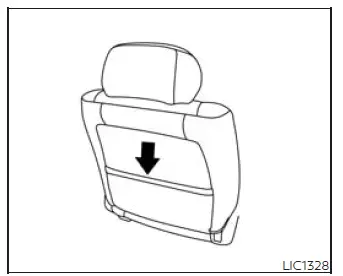
There is one seatback pocket located on the back of the passenger seat. This pocket can be used to store maps, papers, or other lightweight flat items that should remain within easy reach for rear passengers.
WARNING To help ensure proper operation of the driver's and/or front passenger's NISSAN Advanced Air Bag System, observe the following precautions carefully:
- Do not allow a rear seat passenger to push, pull, or place force on the seatback pocket or the head restraint/headrest.
- Do not place loads heavier than 9.1 lbs. (4 kg) on the seatback, head restraint/headrest, or inside the seatback pocket.
Storage trays
Front console
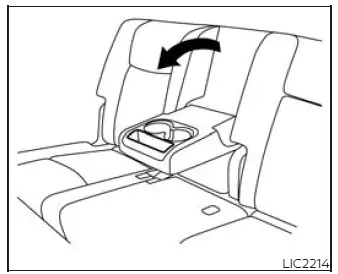
Rear armrest
WARNING Do not place sharp objects in the storage trays. During an accident or sudden stop, sharp items may move unexpectedly and could cause injury.
Glove box
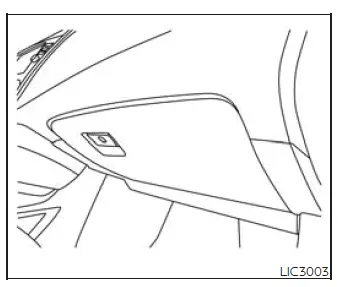
Open the glove box by pulling the handle. The glove box provides enclosed storage for documents and small items that should be kept out of sight.
Use the mechanical key to lock or unlock the glove box. The valet key, if so equipped, cannot be used to lock or unlock the glove box.
WARNING Keep the glove box lid closed while driving to help prevent injury during an accident or sudden stop.
Console box
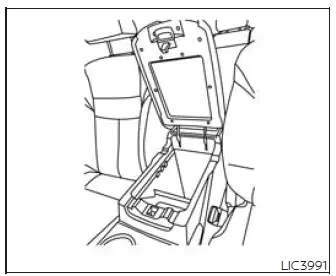
To open the console box, press in on the lever and raise the lid. The console box can be used for storing small personal items inside the front center console.
To close the console box, push the lid down until the lock latches securely.
Overhead sunglasses storage
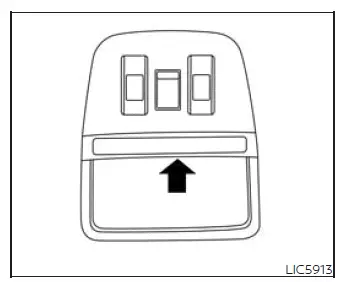
To open the sunglasses holder, push and release the holder door.
Only store one pair of sunglasses in the holder. Placing additional items inside may prevent the holder from closing correctly or may damage the compartment.
WARNING Keep the sunglasses holder closed while driving to avoid blocking the driver's view and to help reduce the risk of an accident.
CAUTION
- Do not use the sunglasses holder for anything other than sunglasses.
- Do not leave sunglasses in the sunglasses holder while the vehicle is parked in direct sunlight. Heat buildup may damage the sunglasses.
Cup holders
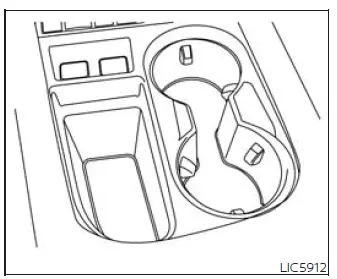
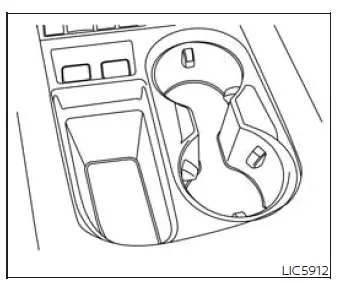
Front console
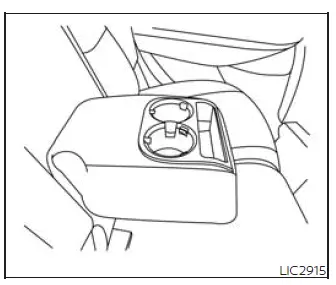
Bench seat
CAUTION
- Avoid abrupt starts and sudden braking when a cup holder is being used to help prevent the drink from spilling. If the liquid is hot, it may scald you or your passenger.
- Use only soft cups in the cup holder.
Hard objects may cause injury during an accident.
- Do not recline the rear seatback when using the cup holders in the rear armrest. Doing so may cause beverages to spill, and hot liquids may scald rear passengers.
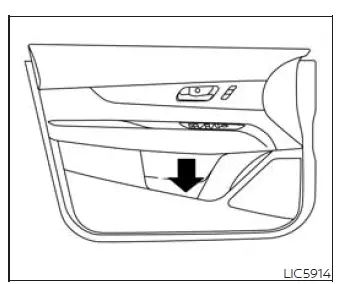
Bottle holder - front
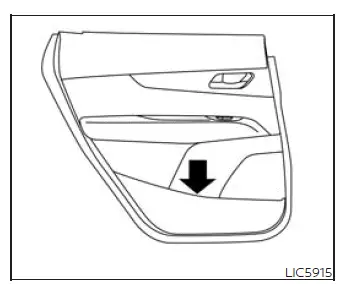
Bottle holder - rear
CAUTION
- Do not use the bottle holder for objects other than suitable bottles. Loose objects could be thrown around inside the Nissan Murano during sudden braking or an accident and may injure occupants.
- Do not use the bottle holder for open liquid containers, because spills may occur while driving.
Cargo area storage bin
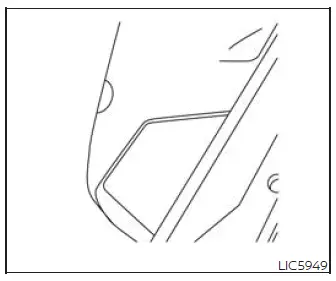
Luggage hooks
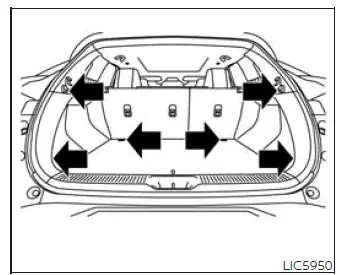
When securing items with the luggage hooks located on the side finisher, do not apply a load greater than 6.5 lbs. (29 N) to any single hook. These hooks are intended for light cargo control and should not be used beyond their stated limit.
The luggage hooks located on the floor should carry loads of less than 110 lbs. (490 N) on each individual hook.
The luggage hooks can be used with ropes, straps, or similar tie-downs to help secure cargo in the Nissan Murano and reduce movement while driving.
WARNING
- Properly secure all cargo with ropes or straps to help prevent it from sliding, tipping, or shifting. Do not stack cargo higher than the seatbacks. During a sudden stop or collision, unsecured cargo could move forward and cause personal injury.
- Use suitable ropes, straps, and hooks that are appropriate for the size and weight of the cargo being secured.
- Never allow anyone to ride in the luggage area. Riding in a cargo area inside a vehicle is extremely
dangerous.
In a collision, people riding in these areas are much more likely to be seriously injured or killed.
- Do not allow passengers to ride in any area of the vehicle that is not equipped with seats and seat belts.
- The child restraint top tether strap may be damaged if it contacts items in the cargo area. Secure all items in the cargo area properly. A child could be seriously injured or killed in a collision if the top tether strap is damaged.
- Make sure every occupant in the Nissan Murano is seated correctly and using a seat belt properly before the vehicle is driven.
Roof rack
Example
Basic Information
WARNING
- Always install the crossbars onto the roof side rails before loading cargo of any kind. Placing cargo directly on the roof side rails or directly on the vehicle roof may cause vehicle damage.
- Roof rack crossbars should be positioned and distributed evenly to help support the load correctly.
- Do not exceed the maximum roof rack crossbar load capacity, and always distribute the load uniformly across the crossbars.
- Heavy loading on the crossbars can affect vehicle stability and handling, especially during sudden steering, emergency maneuvers, or unusual driving conditions.
- Properly secure all cargo with ropes or straps to help prevent it from sliding or shifting. In a sudden stop or collision, unsecured cargo could cause personal injury.
- Drive with extra care when the vehicle is loaded at or near its cargo carrying capacity, particularly when a significant portion of the load is carried on the roof rack crossbars.
CAUTION
- Use care when placing items on the roof rack or removing them. If you cannot comfortably lift the items onto the roof rack from the ground, use a stable ladder or stool.
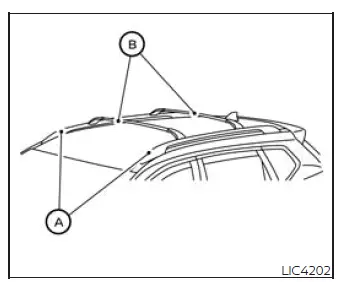
Do not apply any load directly to the roof side rails A. Crossbars B must be installed before any load, cargo, or luggage is placed on the roof of the vehicle.
Genuine NISSAN accessory crossbars may be available through a NISSAN dealer. It is recommended that you visit a NISSAN dealer for additional information about compatible roof rack equipment for the Nissan Murano.
The service load capacity for the roof side rails is 220 lbs. (100 kg.); however, do not exceed the load capacity of the crossbars being used.
Be careful that the vehicle does not exceed its Gross Vehicle Weight Rating (GVWR) or its Gross Axle Weight Rating (GAWR front and rear), especially when passengers, luggage, interior cargo, and roof-mounted items are carried at the same time.
For additional information regarding GVWR and GAWR, refer to:
- F.M.V.S.S. or C.M.V.S.S. certification label located on the driver's door pillar.
Installing crossbars (if so equipped)
WARNING
- It is recommended that you have the roof rack crossbars installed by a NISSAN dealer.
- Protect the painted area on the vehicle roof under the crossbars by placing a piece of cloth under the crossbars to help prevent scratch damage during installation.
- Make sure the moonroof, if so equipped, is in the fully closed position during the installation process.
See also:
Air cleaner
NOTE:
The air cleaner filter should not be cleaned
and reused.
Replace the air cleaner filter according to the
maintenance log shown in the “Warranty Information
and Maintenance Booklet.”
...
Models without color display
The digital clock (in the audio unit) displays the
time when the ignition switch is in the ACC or
ON position.
To adjust the clock, see “FM-AM radio with
Compact Disc (CD) changer” in the †...
Operating tips
● When the engine coolant temperature and
outside air temperature are low, the air flow
from the foot outlets may not operate for a
maximum of 150 seconds. However, this is
not a malfunction ...