
Vehicle identification
Vehicle Identification Number (VIN) plate
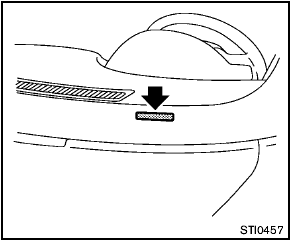
The vehicle identification number plate is attached as shown. This number is the identification for your vehicle and is used in the vehicle registration.
Vehicle identification number (chassis number)
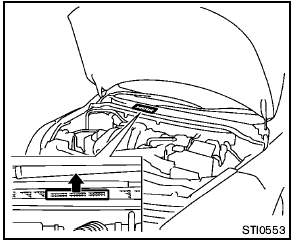
The vehicle identification number is located as shown.
Remove the cover to access the number.
Engine serial number

The number is stamped on the engine as shown.
F.M.V.S.S./C.M.V.S.S. certification label
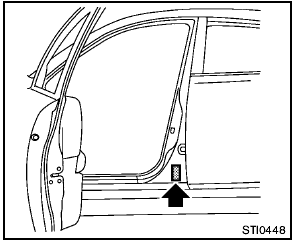
The Federal/Canadian Motor Vehicle Safety Standards (F.M.V.S.S./C.M.V.S.S.) certification label is affixed as shown. This label contains valuable vehicle information, such as: Gross Vehicle Weight Ratings (GVWR), Gross Axle Weight Rating (GAWR), month and year of manufacture, Vehicle Identification Number (VIN), etc. Review it carefully.
Emission control information label
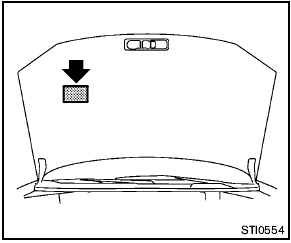
The emission control information label is attached to the underside of the hood as shown.
Tire and loading information label
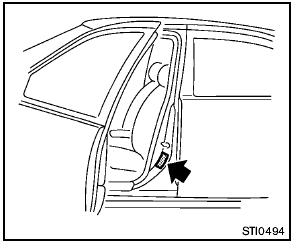
The cold tire pressure is shown on the Tire and Loading Information label affixed to the pillar as illustrated.
Air conditioner specification label
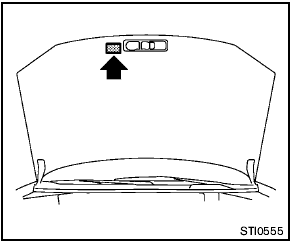
The air conditioner specification label is attached to the underside of the hood as shown.
See also:
Power liftgate main switch
The power liftgate operation can be turned on or
off by the power liftgate main switch on the
instrument panel.
When the power liftgate main switch is pushed to
the OFF position, the power ope ...
Voice commands
You can use voice commands to operate various
Bluetooth® Hands-Free Phone System features
using the NISSAN Voice Recognition system.
For more details, see “NISSAN voice recognition
system (mo ...
Receiving a call
When you hear a phone ring, the display will
change to phone mode. To receive a call, follow
one of the procedures listed below.
a. Select the “Answer” key on the display.
b. Press the phone ...