
Predictive course line settings
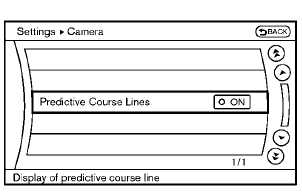
Models with navigation system
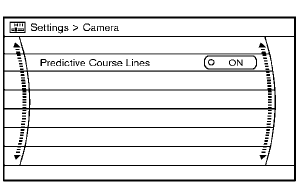
Models without navigation system
To turn ON or OFF the predictive course line display, push the SETTING button, select the “Camera” key and push the ENTER button.
• Predictive Course Lines
When this item is turned to ON, the predictive
course lines will be displayed on the monitor
when the shift lever is in the “R” (Reverse)
position.
See also:
Sonar system (if so equipped)
- The sonar system is a convenience but it is not a substitute for proper
parking. Always look around and check that it is safe to do so before parking. Always
move slowly.
- Read and underst ...
Injured persons
NISSAN recommends that injured persons use
seat belts. Check with your doctor for specific
recommendations. ...
Lift gate release
If the lift gate cannot be opened due to a
discharged battery, follow these steps.
1. Remove the cover inside of the lift gate with
a suitable tool.
2. Move the lever toward the direction ...