
Air conditioner specification label
Nissan Murano / Nissan Murano 2009-2026 Owner's Manual / Technical and consumer information / Vehicle identification / Air conditioner specification label
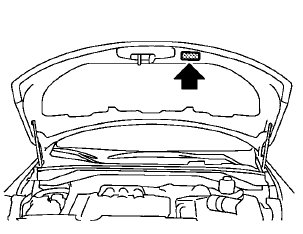
The air conditioner specification label is attached as shown.
See also:
How to read the displayed lines
Guiding lines which indicate the vehicle width
and distances to objects with reference to the
vehicle body line A are displayed on the monitor.
Distance guide lines:
Indicate distances from the ...
Air cleaner
NOTE:
The air cleaner filter should not be cleaned
and reused.
Replace the air cleaner filter according to the
maintenance log shown in the “Warranty Information
and Maintenance Booklet.”
...
Troubleshooting guide
The system should respond correctly to all voice commands without difficulty.
If problems are encountered, try the following solutions.
Where the solutions are listed by number, try each solution ...