
Roof rack (if so equipped)
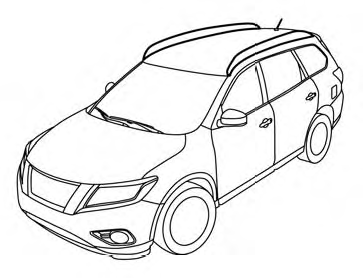
Genuine NISSAN accessory cross bars are available through your NISSAN dealer. Contact an NISSAN dealer for crossbar or other equipment information.
Always distribute the luggage evenly on the cross bars. Do not load more than 150 lb (68 kg) on the cross bars. Observe the maximum load limit shown on the cross bars or roof carriers when you attach them on the roof cross bars. Contact an NISSAN dealer for crossbar or other equipment information.
Do not apply any load directly to the roof side rails. Cross bars must be installed before applying load/cargo/luggage to the roof of the vehicle.
Be careful that your vehicle does not exceed the Gross Vehicle Weight Rating (GVWR) or its Gross Axle Weight Rating (GAWR front and rear). The GVWR and GAWR are located on the F.M.V.S.S. or C.V.M.S.S. certification label (located on the driver’s door pillar). For more information regarding GVWR and GAWR, see “Vehicle loading information” in the “Technical and customer information” section.
WARNING
● Drive extra carefully when the vehicle is
loaded at or near the cargo carrying
capacity, especially if the significant
portion of that load is carried on the
cross bars.
● Heavy loading of the cross bars has the
potential to affect the vehicle stability
and handling during sudden or unusual
handling maneuvers.
● Roof rack cross bars should be evenly
distributed.
● Do not exceed maximum roof rack
cross bars load.
● Properly secure all cargo with ropes or
straps to help prevent it from sliding or
shifting. In a sudden stop or collision,
unsecured cargo could cause personal
injury.
CAUTION
Always install the cross bars onto the roof side rails before loading cargo of any kind.
Loading cargo directly onto the roof side rails or the vehicle’s roof may cause vehicle damage.
See also:
Phone selection
Up to 5 cellular phones can be registered to the
system. To switch to connect another cellular
phone, push PHONE button and select the
“Connected Phones” key. The registered cellular
phones ar ...
Starting the engine
1. Apply the parking brake.
2. Move the selector lever to the P (Park) or N (Neutral) position. (P is recommended.)
The starter is designed so that it does not operate unless the selector lever
is ...
Driving safety precautions
Your NISSAN is designed for both normal and
off-road use. However, avoid driving in deep water
or mud as your NISSAN is mainly designed for
leisure use, unlike a conventional off-road vehicle.
R ...