
When operating the top
WARNING
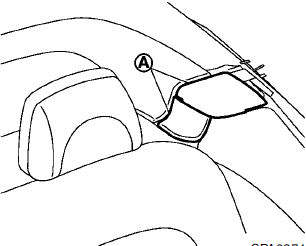
Keep hands and other parts of the body away from moving parts such as the top, storage lid, inner flap A and power windows.
CAUTION
• Keep all parts of the top linkage
clear of obstructions, or the top
latch may not be securely locked.
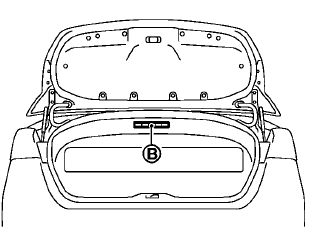
• Do not place anything in the top
storage area. Cargo that contacts
the top could damage the top and/
or the vehicle body. See Caution
label B attached in the trunk.
NOTE:
• In case of low battery or low
temperature,
the top may temporarily stop
moving during the operation. This functions
to protect the top control mechanism,
and it is not a malfunction.
• The top operation may be automatically
stopped to protect the system
under the following conditions:
— Immediately after the engine is
started.
— If the top or power windows are
operated repeatedly in a short period
of time.
— If the top is left partially open for a
long period of time before the top is
fully opened.
Wait for approximately 5 minutes before operating the top again.
See also:
Emission control system warranty
Your NISSAN is covered by the following
emission warranties.
For USA:
• Emission Defects Warranty
• Emissions Performance Warranty
Details of these warranties may be found with
other vehicle ...
Operating tips
● The images from a device that is connected
to the rear auxiliary input jacks cannot be
viewed on the front displays.
● It is not possible to switch the source to USB
(if so equipped) ...
Moonroof (if so equipped)
- In an accident you could be thrown from the vehicle through an open moonroof.
Always use seat belts and child restraints.
- Do not allow anyone to stand up or extend any portion of their body o ...