
Operating tips
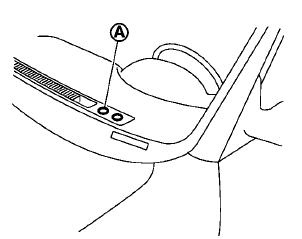
The sunload sensor A on the instrument panel helps maintain a constant temperature. Do not put anything on or around this sensor.
See also:
Supplemental air bag warning labels
Warning labels about the supplemental frontimpact
air bag system are placed in the vehicle
as shown in the illustration.
SRS air bag
The warning labels 1 are located on the
surface of the sun ...
Parking/parking on hills
- Do not stop or park the vehicle over flammable materials such as dry grass,
waste paper or rags. They may ignite and cause a fire.
- Safe parking procedures require that both the parking brak ...
Jump starting
To start your engine with a booster battery, the
instructions and precautions below must be followed.
WARNING
● If done incorrectly, jump starting can
lead to a battery explosion, resulting ...