
Speedometer and odometer
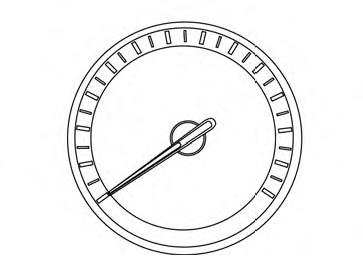
Speedometer
The speedometer indicates vehicle speed.
Odometer/Twin trip odometer
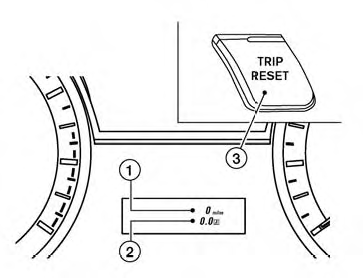
The odometer 1 and the twin trip odometer 2 are displayed below the Vehicle Information Display when the ignition switch is placed in the ON position.
The odometer records the total distance the vehicle has been driven.
The twin trip odometer records the distance of individual trips.
Changing the display:
Pushing the TRIP RESET 3 switch on the right of the instrument panel to change the display as follows:
Trip  → Trip
 → Trip
Resetting the trip odometer:
Pushing the TRIP RESET switch 3 for more than 1 second resets the currently displayed trip odometer to zero.
Average fuel economy and distance to empty information is also available. See “Vehicle Information Display” in this section.
See also:
Compass display (if so equipped)
This unit measures terrestrial magnetism and indicates
the heading direction of the vehicle.
With the ignition switch in the ON position, press
the or
button as described in the
charts below ...
Center multi-function control panel (models with color display screen)
With navigation system
1. “STATUS” status display button
2, 6, 7, 8, 9.
For navigation system control buttons (Refer to
the separate Navigation System Owner’s Manual.)
3. Multi-function c ...
Operating the manual liftgate (if so equipped)
Liftgate switch
Instrument panel switch
The power door lock system allows you to lock or
unlock all doors including the liftgate simultaneously.
To open the liftgate, pull up on the handle ...