
Center multi-function control panel (models with color display screen)
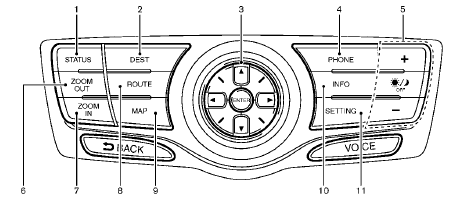
With navigation system
1. “STATUS” status display button
2, 6, 7, 8, 9.
For navigation system control buttons (Refer to
the separate Navigation System Owner’s Manual.)
3. Multi-function controller
4. “PHONE” Bluetooth® Hands-Free Phone System
button
5. “  OFF” brightness
control and display ON/
OFF button
OFF” brightness
control and display ON/
OFF button
10. “INFO” vehicle and navigation information button
11. “SETTING” button
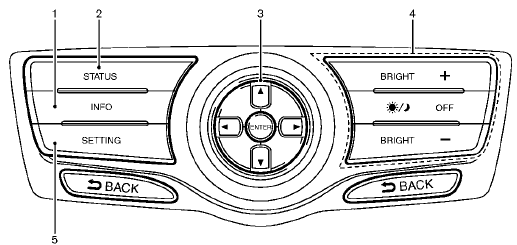
Without navigation system
1. “INFO” vehicle and navigation information button
2. “STATUS” status display button
3. Multi-function controller
4. “  OFF” brightness
control and display ON/
OFF button
OFF” brightness
control and display ON/
OFF button
5. “SETTING” button
When you use this system, make sure the
engine is running.
If you use the system with the engine not running (ignition ON or ACC) for a long time, it will discharge the battery and the engine may not start.
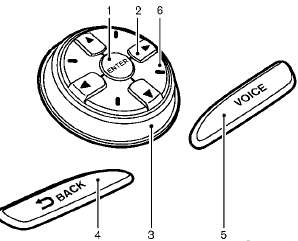
With navigation system
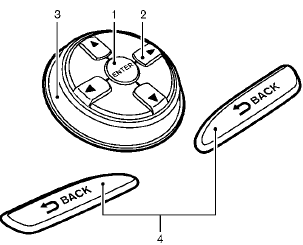
Without navigation system
- How to use multi-function controller
- How to use touch screen (models with navigation system)
- Menu options (models with navigation system)
- How to select menus on the screen
See also:
Engine compartment check locations
QR25DE engine
1. Engine oil filler cap
2. Brake fluid reservoir
3. Air cleaner
4. Engine coolant reservoir
5. Window washer fluid reservoir
6. Drive belt location
7. Engine oil dipstick
8. R ...
Automatic operation
Cooling and/or dehumidified heating
(AUTO)
This mode may be used all year round. The
system works automatically to control the inside
temperature, air flow distribution and fan speed
after the pr ...
Supplemental air bag warning labels
SRS Air bag warning labels
The warning labels are located on the surface of the sun visor, where they can be seen by occupants before
using the front seating area. These labels p ...