
Locking with power door lock switch
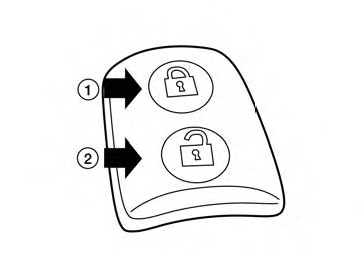
To lock all the doors without a key, push the door lock switch (driver’s or front passenger’s side) to the lock position 1 . When locking the door this way, be certain not to leave the key inside the vehicle.
To unlock all the doors without a key, push the door lock switch (driver’s or front passenger’s side) to the unlock position 2 .
Lockout protection
When the power door lock switch is moved to the lock position and any door is open, all doors will lock and unlock automatically. With the Intelligent Key left in the vehicle and any door is open, all doors will unlock automatically and a chime will sound after the door is closed.
These functions help to prevent the Intelligent Key from being accidentally locked inside the vehicle.
See also:
Extended storage switch
The extended storage switch is used during vehicle shipping and long storage preparation. In the Nissan Murano,
this switch is located in the fuse panel below the steering column and above the p ...
Engine compartment check locations
VQ35DE engine
1. Power steering fluid reservoir
2. Engine coolant reservoir
3. Drive belt location
4. Fuse box
5. Engine oil filler cap
6. Brake fluid reservoir
7. Air cleaner
8. Fuse box
9 ...
Tire and Loading Information label
The cold tire pressure is shown on the Tire and
Loading Information label affixed to the pillar as
illustrated. ...