
Bluetooth® streaming audio (if so equipped)
If you have a compatible Bluetooth® audio device that is capable of playing audio files, the device can be connected to the vehicle’s audio system so that the audio files on the device play through the vehicle’s speakers.
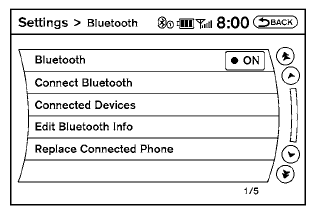
Connecting Bluetooth® audio
To connect your Bluetooth® audio device to the vehicle, follow the procedure below:
1. Press the SETTING button on the instrument
panel.
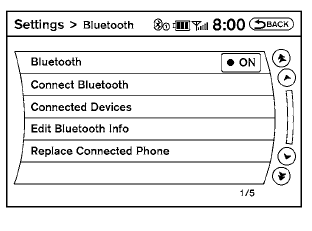
2. Select the “Bluetooth” key.
3. Select the “Connect Bluetooth” key.
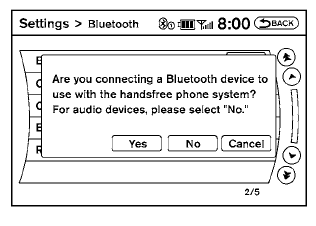
4. A screen will appear asking if you are connecting the device to use with the handsfree phone system. Select the “No” key.
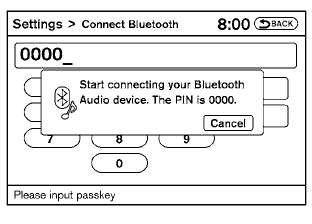
5. Enter a PIN of your choice. It will be needed by your Bluetooth® audio device to complete the connection process. See the Bluetooth® audio device’s owner’s manual for more information.
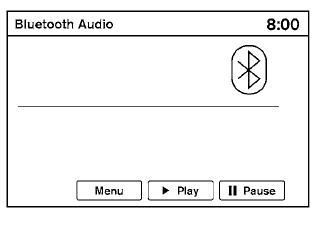
Audio main operation
To switch to the Bluetooth® audio mode, press the DISC•AUX button repeatedly until the Bluetooth® audio mode is displayed on the screen.
The controls for the Bluetooth® audio are displayed on the screen.
Bluetooth® audio settings
To adjust the Bluetooth® audio settings, follow the procedure below:
1. Press the SETTING button on the instrument
panel.
2. Select the “Bluetooth” key.
3. Select the “Connected Devices” key.
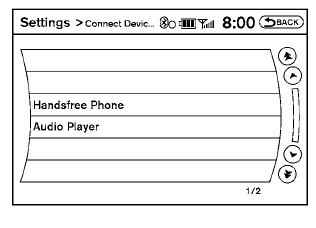
4. Select the “Audio Player” key.
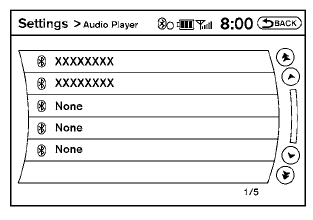
5. A list of the connected Bluetooth® audio players is displayed. Select the name of the device you wish to edit.
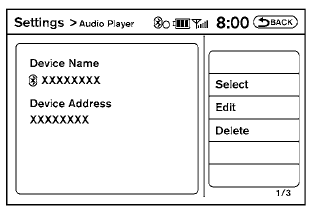
6. The Device Name and Device Address are displayed on the screen. Select the “Select” key to make this device the active Bluetooth® audio player. Select the “Edit” key to edit the details of the player, such as Device Name. Select the “Delete” key to delete the device.
See also:
NISSAN Intelligent Key® Operation
You can lock or unlock the doors without taking
the Intelligent Key out of your pocket or bag.
When you carry the Intelligent Key with you, you
can lock or unlock all doors by pushing the door
...
Operating the HomeLink® universal transceiver
The HomeLink® Universal Transceiver (once
programmed) may now be used to activate the
garage door, etc. To operate, simply press the
appropriate programmed HomeLink® Universal
Transceiver button ...
Bluetooth® Hands-Free Phone System without Navigation System (if so
equipped)
WARNING
● Use a phone after stopping your vehicle
in a safe location. If you have to use a
phone while driving, exercise extreme
caution at all times so full attention may
be given to vehic ...