
Trip computer
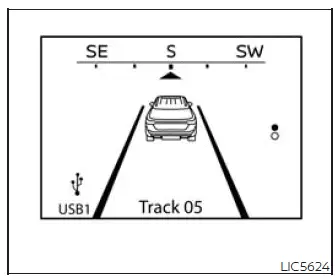
Home
The Home mode shows the following information in one convenient view, giving the driver a quick overview of the most commonly used display items:
- Vehicle speed
- Navigation (if so equipped)
- Audio
The Home display will switch to the audio source by pressing the OK button. This makes it easy to move from the general Home screen to audio information without searching through additional menus.

Blank
This display is a blank screen and shows no information. It is useful when the driver prefers a cleaner instrument display with fewer items shown during normal driving.
NOTE:
- If the meter screen view is changed to expand the vehicle information display, this display will show limited driving information and will not be blank.
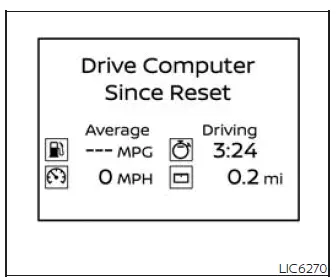
Drive computer
Average fuel consumption:
The average fuel consumption shows the average fuel consumption since the last reset. This reading helps the driver monitor fuel use over a selected driving period and compare changes after different trips or driving conditions.
Average speed:
The average speed shows the average vehicle speed since the last reset. It gives a broader view of driving pace over time rather than showing only the current speed.
Trip odometer:
The trip odometer shows the total distance the vehicle has been driven since the last reset. This can be useful for tracking a specific journey, service-related mileage, or distance covered after refueling.
Elapsed time:
The elapsed time shows the time since the last reset. Together with distance and average speed, it gives the driver a more complete picture of the trip.
The Drive computer mode has three modes of operation. You can switch between Since Reset, Since Start or Since Refuel by pushing the scroll dial. These separate views make the trip computer more flexible, allowing Nissan Murano drivers to review information based on the type of trip data they want to track.
Since Reset can be reset manually by using the scroll dial. This mode is best suited for information the driver wants to control directly, such as a planned route or a personal mileage check.
Since Start can be reset manually by using the scroll dial or will be reset automatically approximately 30 minutes after the ignition switch is placed in the OFF position. This allows the display to track the current driving session without requiring manual reset every time.
Since Refuel will be reset automatically each time when refueling. This mode is helpful for reviewing driving information over the period between fuel stops.
NOTE:
- If a small amount of fuel is added, or the ignition is on during refueling, the Auto Refuel mode may not be reset until the next refuel.
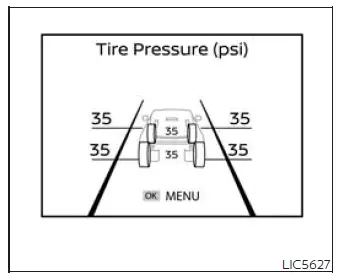
Tire Pressures
The tire pressure mode shows the pressure of all four tires while the vehicle is driven. This screen lets the driver review tire pressure information directly from the vehicle information display once the system has the data it needs.
When the "Tire Pressure Low - Add Air"
warning appears, the display can be
switched to the tire pressure mode by
pushing the
 or
or
 switch to reveal
additional details on the displayed
warning. This allows the driver to move from the warning message to a more specific tire pressure view and
better understand which information needs attention.
switch to reveal
additional details on the displayed
warning. This allows the driver to move from the warning message to a more specific tire pressure view and
better understand which information needs attention.
When the ignition switch is placed in the ON position, the message "Tire pressures appear while driving" may appear until the vehicle is driven and the TPMS is activated. In this situation, the Nissan Murano may need to be moving before live tire pressure values are shown.
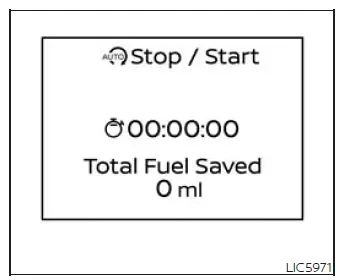
Idling Stop System
The Idling Stop System provides the driver with information about the amount of fuel saved while using the system. This display gives a clear reference for the benefit of the system during applicable driving conditions.
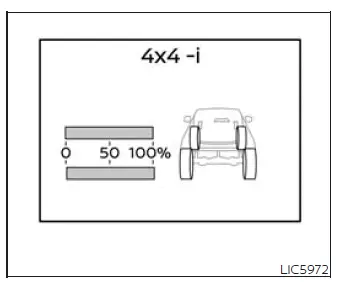
Intelligent 4x4 torque distribution display (if so equipped)
When the Intelligent 4x4 torque distribution display is selected, you can view the distribution ratio of the transmission torque to the front and rear wheels during driving. This screen is especially useful when the driver wants to see how power is being distributed between the axles in real time.
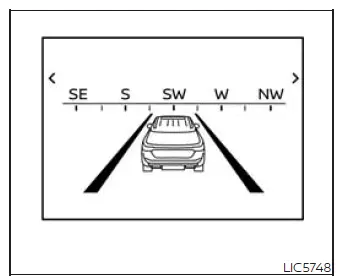
Navigation/Compass (if so equipped)
The Navigation/Compass screen provides route-related or directional information when the vehicle is equipped with the required system. It gives the driver another way to reference guidance or orientation directly from the Nissan Murano vehicle information display.
When route guidance has been set in the navigation system, this item presents the active navigation route information directly in the vehicle information display. This allows the driver to review key guidance details without moving attention away from the instrument area.
When no route is set, a compass is displayed on the screen. In that situation, the display gives the driver a simple directional reference instead of turn-by-turn route guidance.
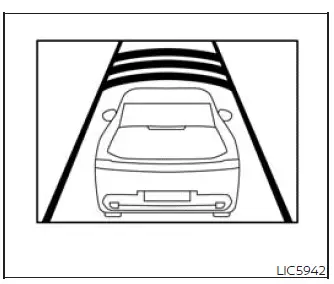
ProPILOT Assist
The ProPILOT Assist mode shows operating conditions for the following systems, giving the driver a clear view of the main assisted-driving functions when they are available:
- Intelligent Cruise Control (ICC)
- Steering Assist
The display will also be shown when the ProPILOT Assist is turned on. This makes it easier to recognize when the system is active and to monitor the related driving support status from the main display area.
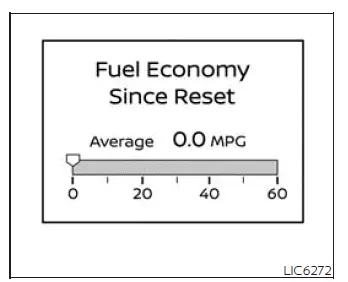
Fuel economy display
Current fuel consumption:
The current fuel consumption mode shows the current fuel consumption. This reading reflects fuel use at the present moment, so it can change as driving speed, acceleration, traffic, and road conditions change.
Average fuel consumption:
The average fuel consumption mode shows the average fuel consumption since the last reset. Press the OK button on the steering wheel to bring up the drive computer Reset menu, and follow the instructions to reset. For Nissan Murano drivers who track fuel use between trips or refueling stops, this screen provides a practical way to review longer-term driving efficiency.
The display is updated every 30 seconds. Because the value is refreshed at intervals, short changes in driving style may not appear instantly on the screen.
For about the first 1/3 of a mile (500 m) after a reset, the display shows "- -." This temporary display appears while the system gathers enough driving data to calculate a meaningful average.
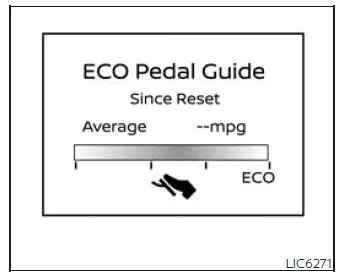
Eco Pedal Guide
When the ECO mode is selected, you can view ECO Pedal Guide function for improving fuel economy. The guide is designed to give the driver feedback related to accelerator use, making it easier to drive more smoothly when fuel-saving operation is desired.
The ECO Pedal Guide mode has three modes of operation. You can switch between Manual Reset1, Manual Reset2 or Auto Refuel by pushing the scroll dial. These separate modes allow the driver to review ECO-related driving information over different tracking periods.
Since Reset can be reset manually by using the scroll dial. This is useful when the driver wants to begin a new measurement period at a chosen time, such as before a specific trip.
Since Start can be reset manually by using the scroll dial or will be reset automatically approximately 30 minutes after the ignition switch is placed in the OFF position (if so equipped). This mode is intended for reviewing information from the current driving session without requiring the driver to reset it each time.
Since Refuel will be reset automatically each time when refueling. In the Nissan Murano, this allows ECO-related information to follow the period between fuel stops when the system detects a refuel event.
Audio
The audio mode shows the status of audio information. Depending on the current audio source, this screen can give the driver a quick view of the entertainment information without needing to rely only on the center display.
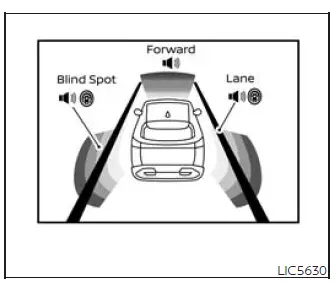
Driving Aids
The driving aids mode shows the operating condition for the following systems (if so equipped). This display groups several driver assistance features into one area, making it easier to review which support systems are available or active:
- Forward
- Automatic Emergency Braking (AEB) with Pedestrian Detection system
- Intelligent Forward Collision Warning (I-FCW)
- Lane:
- Lane Departure Warning (LDW)
- Intelligent Lane Intervention (I-LI)
- Blind Spot:
- Blind Spot Warning (BSW)
- Intelligent Blind Spot Intervention (I-BSI)
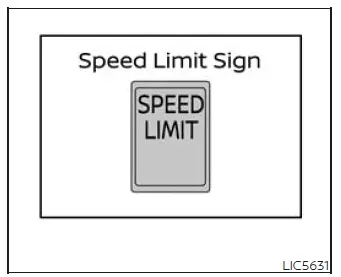
Traffic Sign Recognition
The Traffic Sign Recognition (TSR) system provides the driver with information about the most recently detected speed limit. When available, this information appears in the display as a convenient reference while driving, especially on roads where posted limits may change.
Warnings
The warnings mode allows the driver to view any present warnings. This screen is used to review active messages in one place, so the driver can check what currently needs attention.
NOTE: The warnings mode will only display if any are present. If there are no active warnings, this screen will not appear as a separate item.
Settings
The settings mode allows the driver to view or modify settings. Through this area, the Nissan Murano display can be adjusted according to available vehicle options and driver preferences.
See also:
Towing a trailer
WARNING
Overloading or improper loading of a
trailer and its cargo can adversely affect
vehicle handling, braking and performance
and may lead to accidents.
CAUTION
● Do not tow a trailer ...
Center multi-function control panel (models with color display screen)
With navigation system
1. “STATUS” status display button
2, 6, 7, 8, 9.
For navigation system control buttons (Refer to
the separate Navigation System Owner’s Manual.)
3. Multi-function c ...
Luggage cover (CrossCabriolet models)
A luggage cover is used to separate the trunk
and the top storage area.
To use the luggage cover, pull it out and hang
both sides on the hooks1 .
To stow the luggage cover, remove it from th ...