
Heated rear seat switches. Heated steering wheel switch. Steering Assist switch (for vehicles with ProPILOT Assist)
Heated rear seat switches
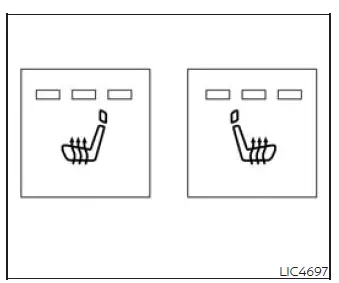
WARNING Do not use or allow occupants to use the rear seat heater if you or the occupants cannot monitor increased seat temperature, cannot respond to excessive heat, or have reduced ability to feel pain in the parts of the body that contact the seat. Use of the seat heater by such occupants could result in serious injury.
CAUTION
- The battery could discharge if the seat heater is operated while the engine is not running.
- Do not use the seat heater for an extended period of time or when no one is sitting in the seat.
- Do not place items that trap or insulate heat, such as blankets, cushions, seat covers, or similar materials, on the seat. Otherwise, the seat may become overheated.
- Do not place hard or heavy objects on the seat, and do not pierce the seat with a pin, needle, or similar object. This may damage the heater components.
- Any liquid spilled on the heated seat should be removed immediately with a dry cloth to help prevent damage or staining.
- When cleaning the seat, never use gasoline, benzine, thinner, or any similar chemical materials.
- If a malfunction is found or the heated seat does not operate properly, turn the switch off and have the system checked. It is recommended that you visit a NISSAN dealer for this service.
The rear seats are warmed by built-in heaters designed to provide additional comfort for rear passengers in the Nissan Murano.
The switches are located on the rear side of the front center console and can be operated independently, allowing each rear seat heater to be controlled separately.
1. Place the ignition switch in the ON position so the rear seat heater controls are available.
2. Push the LO or HI position of the switch, depending on the desired level of warmth. The indicator light in the switch will illuminate to show that the selected rear seat heater is operating.
The heater is controlled by a thermostat to help maintain the selected temperature setting.
3. When the seat has warmed to a comfortable level, or before leaving the vehicle, be sure to turn the switch off.
Heated steering wheel switch
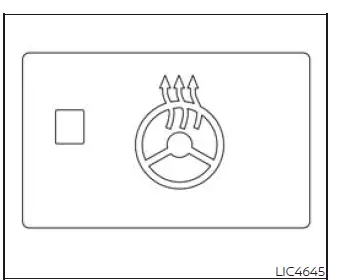
The heated steering wheel system is designed to operate only when the surface temperature of the steering wheel is below 68ºF (20ºC). This helps provide warmth when the steering wheel is cold while preventing unnecessary heating when it is already above the operating threshold.
After the ignition switch is placed in the ON position, push the heated steering wheel switch to warm the steering wheel. The indicator light will come on to confirm that the system has been activated.
If the surface temperature of the steering wheel is below 68ºF (20ºC), the system will heat the steering wheel and then cycle on and off as needed to maintain a temperature above 68ºF (20ºC). The indicator light remains illuminated while the system is on.
Push the switch again to turn the heated steering wheel system off manually. The indicator light will go off when the system is switched off.
NOTE:
- Once activated, the heated steering wheel in the Nissan Murano automatically turns on and off to maintain a temperature above 68ºF (20ºC).
- When the steering wheel temperature is above 122ºF (50ºC) and the heated steering wheel switch is turned on, the system will not heat the steering wheel. This is normal and does not indicate a malfunction.
Steering Assist switch (for vehicles with ProPILOT Assist)
The Steering Assist switch is used to turn the Steering Assist system on or off after the feature has been enabled through the settings menu in the vehicle information display.
When ProPILOT Assist is engaged, the Steering Assist system provides steering support to help keep the Nissan Murano near the center of the detected lane while driving. The driver must continue to hold the steering wheel, watch the road, and remain ready to steer at all times.
Seat massage switch
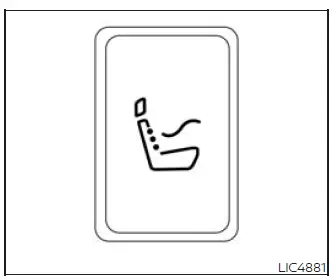
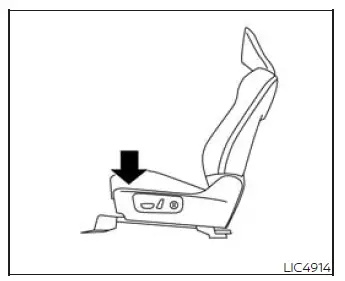
Push the seat massage switch or touch the seat massage icon in the center display to activate the feature. When the system is turned on, the center display shows the current massage status so the driver or front passenger can confirm the selected operation.
The center display also includes an "Adjust" icon that can be selected to change the massage seat settings. Available adjustments include the massage pattern, intensity, and speed, allowing the seat massage function to be tailored to the occupant's comfort preference.
NOTE:
- If the front passenger's door is open, the passenger's seat massage switch will not operate.
- When the front passenger door is opened, the system automatically deactivates the massage function for the front passenger seat. After the front passenger door has been fully closed, the passenger massage system must be activated again using the switch.
See also:
Operating manual lift gate
To open the lift gate, unlock it and push the
opener switch A . Pull up the lift gate to open.
The lift gate can be unlocked by:
• pushing the unlock button on the
Intelligent Key twice.
• ...
How to use the touch screen
CAUTION
● The glass display screen may break if it
is hit with a hard or sharp object. If the
glass screen breaks, do not touch it.
Doing so could result in an injury.
● To clean th ...
Securing the load (Hardtop models)
There are tie down hooks located in the cargo
area as shown. The tie down hooks can be used
to secure cargo with ropes or other types of
straps.
Do not apply a total load of more than 22
lb. (9 ...