
NissanConnect Owner's Manual. Safety Note
NissanConnect Owner's Manual
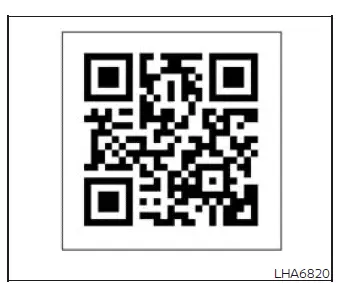
QR code (U.S. only
Use the QR code shown on this page to access the digital NissanConnect Owner's Manual in the United States, or refer to the printed NissanConnect Owner's Manual when supplied with the vehicle. This separate guide provides detailed instructions for the multimedia, connectivity, communication, navigation, and voice-control features available in the Nissan Murano.
The NissanConnect Owner's Manual includes information about the following systems and functions:
- NissanConnect Services, including the connected features available for the vehicle.
- The navigation system, if the Nissan Murano is equipped with this feature.
- Audio system controls, available sources, and related operating functions.
- Apple CarPlay operation and compatible smartphone integration.
- Android Auto operation and supported smartphone connectivity.
- The Bluetooth Hands-Free Phone system and its communication features.
- Viewing vehicle, system, and multimedia information on the display.
- Other available settings used to personalize system operation.
- Voice recognition functions and supported voice commands.
- General information about system operation, limitations, and maintenance.
Safety Note
WARNING
- Do not disassemble, alter, or modify any part of the system. Unauthorized changes may damage internal components and could result in an accident, fire, or electric shock.
- Do not continue using the system if abnormal operation is observed, including a frozen or unresponsive display, missing sound, or another unexpected condition. Continued use may contribute to an accident or create a risk of fire or electric shock.
- If a foreign object enters the system hardware, liquid is spilled on or inside it, or smoke, unusual heat, or an abnormal odor is noticed, stop using the system immediately. It is recommended that you visit a NISSAN dealer for inspection and service. Ignoring these warning signs may lead to equipment damage, an accident, fire, or electric shock.
- Before viewing images or performing an operation that requires prolonged attention to the touch-screen display, park the Nissan Murano in a safe location and apply the parking brake.
Do not attempt to operate the system under extreme temperature conditions below −4ºF (−20ºC) or above 158ºF (70ºC). Exposure to temperatures outside this range may affect the display and other electronic components, resulting in delayed response, improper operation, or a system malfunction.
Safety Information
WARNING
- Before performing detailed system operations, park the vehicle in a safe location and apply the parking brake. Attempting to configure or operate complex features while driving may distract the driver, reduce control of the Nissan Murano, and result in a serious accident.
- Remain attentive to traffic, road conditions, pedestrians, and surrounding vehicles at all times. If the system does not respond immediately, do not repeatedly look at or operate the display while driving. Be patient, keep your eyes on the road, and attempt the operation again only when it is safe. Inattentive driving can cause a collision resulting in serious injury or death.
- Laws in some jurisdictions may prohibit or restrict the use of certain applications and communication features, including text-to-speech, social-networking functions, and text messaging. Review and follow all applicable local regulations before using these features.
- When parking with the engine running, keep the vehicle in a well-ventilated outdoor area to reduce the
risk of carbon monoxide exposure. Never breathe exhaust gases. They contain carbon monoxide, a colorless
and odorless gas that can cause unconsciousness, serious injury, or death.
- Apply the parking brake securely before remaining in the parked vehicle.
- Do not leave children, pets, or people who may require assistance inside the vehicle.
- Do not leave the running vehicle unattended, as this may permit unauthorized use or create additional safety risks.
USB memory device, iPod and Bluetooth audio player
WARNING Do not connect, disconnect, adjust, or operate a USB memory device, iPod, or Bluetooth audio player while driving. Handling a device can divert attention from the road and surrounding traffic. Driver distraction may lead to loss of vehicle control, an accident, serious injury, or death. Connect and configure external devices only when the Nissan Murano is safely parked.
See also:
Audio operation precautions
Compact disc (CD) player (models
without Navigation System)
Compact disc (CD) player (models
without Navigation System)
● Do not force a compact disc into the CD
insert slot. This could d ...
Manual operation
Fan speed control
Turn the fan speed control dial
to manually
control the fan speed.
Press the AUTO button to return to automatic
control of the fan speed.
Air recirculation
Press the ai ...
Receiving a call
When you hear a phone ring, the display will
change to the incoming call mode. To receive a
call, perform one of the following procedures
listed below.
1. Select the “Answer” key.
2. Push t ...