
Idling Stop System display
The current status and operating condition of the Idling Stop System can be reviewed in the Nissan Murano vehicle information display. Depending on the situation, the display may confirm whether the system is enabled, show fuel-saving data, explain why automatic engine stopping is unavailable, or identify a condition that requires service.
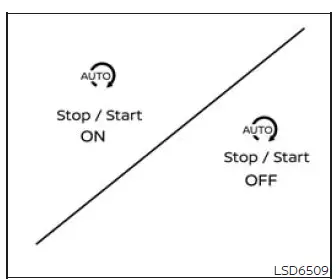
Idling
Stop System ON or OFF
When the Idling Stop System is activated or temporarily deactivated by pressing the Idling Stop OFF switch, a corresponding status message appears in the vehicle information display. This confirmation allows the driver to verify the selected operating state immediately after using the switch.
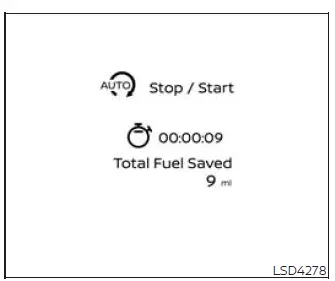
Fuel
saved and engine stop time
The fuel saved and engine stop time screen provides information about the contribution of the Idling Stop System during vehicle operation. The display includes the following items:
- The fuel-saved value shows the estimated quantity of fuel conserved each time the engine is automatically switched off by the Idling Stop System. This figure is an estimate intended to illustrate the effect of reducing unnecessary engine idling.
- The engine stop time shows how long the engine has remained automatically stopped through Idling Stop System operation. The displayed time allows the driver to review how long the engine was not idling during applicable stops.
The accumulated fuel-saving estimate and total engine stop time can also be reviewed through the Nissan Murano vehicle information display, allowing the driver to monitor overall Idling Stop System activity.
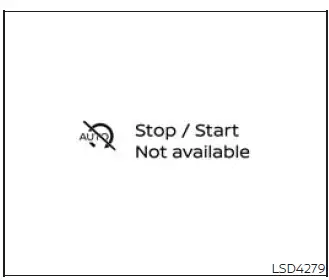
Auto start
deactivation
This message appears when the engine has been switched off by the Idling Stop System but cannot restart automatically. When the message is displayed, follow the applicable instructions for restarting the engine rather than assuming that releasing the brake pedal will start it.
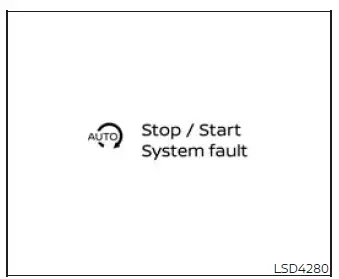
System
fault
This warning message appears when a malfunction is detected in the Idling Stop System. Automatic engine stopping may be unavailable while the fault remains active.
Have the system inspected if the fault message is displayed. It is recommended that you visit a NISSAN dealer for this service so the Idling Stop System and its related components can be checked.
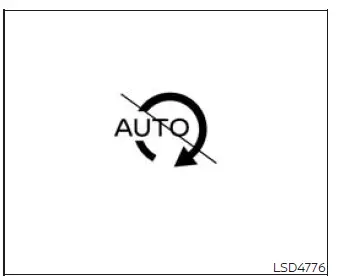
Idling
Stop inhibition
This indicator appears while the vehicle is stopped when one or more inhibition conditions prevent the Idling Stop System from switching off the engine automatically. The display does not necessarily indicate a malfunction; it shows that current vehicle, battery, climate-control, or operating conditions do not permit automatic engine stopping.
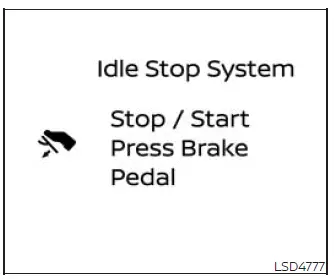
Idling Stop guidance
display (further
depressing the brake pedal)
When the vehicle is stationary and the ISS screen is visible in the vehicle information display, this guidance message appears if the Idling Stop System remains inactive because the brake pedal has not been depressed firmly enough.
To request Idling Stop System activation, press the brake pedal more firmly while continuing to hold the Nissan Murano securely at a complete stop. The engine will stop automatically only if all other required operating conditions are also satisfied.
This guidance appears when “Fuel saved and engine stop time” is selected in the vehicle information display.
The guidance display disappears under either of the following conditions:
- The Idling Stop System activates and the engine is switched off automatically.
- The vehicle begins moving and the stopped-vehicle guidance is no longer applicable.
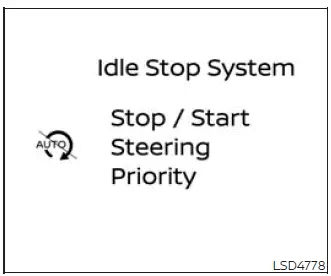
Idling Stop
guidance display (detection
of the steering operation)
When the vehicle is stopped and the ISS screen is shown in the vehicle information display, this guidance appears if steering-wheel operation is detected and automatic engine stopping is therefore unavailable.
The Idling Stop System is temporarily inhibited because the system has detected steering input. This allows the engine to remain running while the driver is maneuvering or preparing to change the vehicle’s direction.
The guidance appears when “Fuel saved and engine stop time” is selected in the vehicle information display.
The guidance display disappears under either of the following conditions:
- The Idling Stop System becomes active and automatically stops the engine.
- The Nissan Murano begins moving and the stationary-vehicle guidance is no longer required.
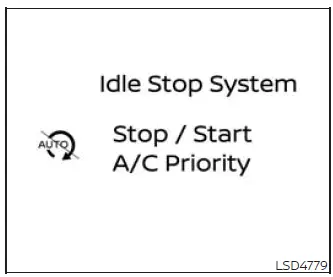
Idling Stop
guidance display (placing
priority on the air conditioner)
When the vehicle is stopped and the ISS screen is visible in the vehicle information display, this guidance appears if the Idling Stop System is unavailable because priority is being given to climate-control operation, including cooling, heating, or dehumidifying the cabin.
Under these conditions, the engine remains running so the air-conditioning system can continue working toward the selected cabin temperature or provide the required dehumidification.
The guidance appears when “Fuel saved and engine stop time” is selected in the vehicle information display.
The guidance display disappears under either of the following conditions:
- The climate-control demand changes and the Idling Stop System activates.
- The vehicle begins moving and the stopped-vehicle guidance is no longer applicable.
Idling Stop OFF switch
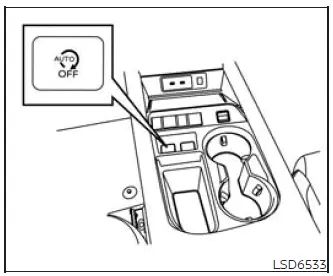
The Idling Stop System can be temporarily disabled by pressing the Idling Stop OFF switch. Pressing the switch again reactivates the function. The system is also restored when the engine is restarted using the ignition switch.
- If the Idling Stop System is disabled while the engine is running, the engine will continue operating when the Nissan Murano stops and will not be switched off automatically during that journey unless the system is reactivated.
- If the Idling Stop System is disabled after it has already stopped the engine automatically, the engine will restart immediately when the required restart conditions are satisfied. Automatic engine stopping will then remain unavailable for the rest of the current journey unless the driver turns the system back on.
NOTE:
- When the Idling Stop OFF switch is pressed, an Idling Stop System ON or OFF message appears in the vehicle information display for several seconds to confirm the newly selected setting.
- The Idling Stop System automatically resets to ON whenever the ignition switch is moved from the OFF position to the ON position. A previous temporary deactivation is therefore not retained after the engine is restarted.
- When towing a trailer, it is recommended that the ISS function be disabled by pressing the Idling Stop OFF switch before beginning the trip.
See also:
Warning lights
For additional information on warnings and indicators,
see “Vehicle information display” later in
this section.
Anti-lock Braking System
(ABS) warning light
When the ignition switch is placed ...
Audible reminders
Key reminder chime
A chime will sound if the driver side door is
opened while the ignition switch is pushed to
the ACC position or pushed to the OFF or
LOCK position with the Intelligent Key ...
Vehicle phonebook
This vehicle has two phonebooks available for
your use. Depending on your phone, the system
may automatically download your entire cell
phone’s phonebook into the “Handset Phonebook”.
Fo ...