
Personal lights (Hardtop models)
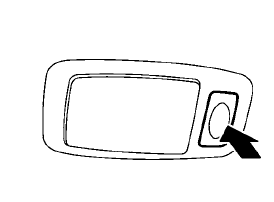
Rear
Push the button as illustrated to turn the light on or off.
See also:
Cleaning interior
Occasionally remove loose dust from the interior trim, plastic parts and seats
using a vacuum cleaner or soft bristled brush. Wipe the vinyl and leather surfaces
with a clean, soft cloth dampened ...
Image viewer (if so equipped)
Using the image viewer
When a compatible portable storage device is
plugged into the USB jack located in the center
console, compatible image files stored on the
device can be viewed on the contro ...
Rear window and outside mirror defroster switch
Type A
Type B
To defog/defrost the rear window glass and
outside mirrors (if so equipped), start the engine
and push the switch 1 on. The indicator light
2 will come on. Push the switch again ...