
Cargo lights (Hardtop models)
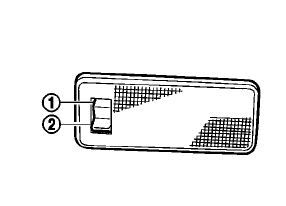
When the switch is in the ON position 1 , the light illuminates while the lift gate is opened.
When the lift gate is closed, the light will turn off.
When the switch is in the OFF position2 , the light will turn off.
The lights will turn off after a period of time when the light remain illuminated to prevent the battery from becoming discharged.
See also:
Driver monitor
Basic Information
ProPILOT Assist 2.1 uses a driver-facing camera mounted on the steering column to monitor whether the driver is
paying attention to the road ahead. The driver monitor operate ...
NISSAN Intelligent Key Operation
Basic information
The Intelligent Key system allows you to lock or unlock the doors without removing the Intelligent Key from your
pocket, handbag, or another convenient carrying locati ...
Emission control system warranty
Your NISSAN vehicle is covered by the following
emission warranties:
For USA
1. Emission Defects Warranty
2. Emissions Performance Warranty
Details of this warranty may be found with other
vehic ...