
When operating the top
WARNING
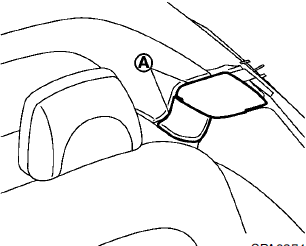
Keep hands and other parts of the body away from moving parts such as the top, storage lid, inner flap A and power windows.
CAUTION
• Keep all parts of the top linkage
clear of obstructions, or the top
latch may not be securely locked.
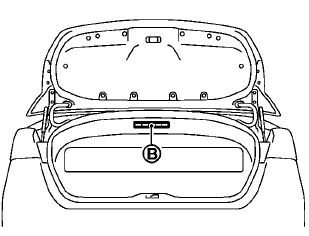
• Do not place anything in the top
storage area. Cargo that contacts
the top could damage the top and/
or the vehicle body. See Caution
label B attached in the trunk.
NOTE:
• In case of low battery or low
temperature,
the top may temporarily stop
moving during the operation. This functions
to protect the top control mechanism,
and it is not a malfunction.
• The top operation may be automatically
stopped to protect the system
under the following conditions:
— Immediately after the engine is
started.
— If the top or power windows are
operated repeatedly in a short period
of time.
— If the top is left partially open for a
long period of time before the top is
fully opened.
Wait for approximately 5 minutes before operating the top again.
See also:
Using the system
Initialization
When the ignition switch is placed in the ON
position, NISSAN Voice Recognition is initialized,
which takes a few seconds. When completed,
the system is ready to accept voice comman ...
Clearing the programmed information
The following procedure clears the programmed
information from both buttons. Individual buttons
cannot be cleared. However, individual buttons
can be reprogrammed, see “Reprogramming a
single Ho ...
Three-way catalyst
The three-way catalyst is an emission control
device installed in the exhaust system. Exhaust
gases in the three-way catalyst are burned at
high temperatures to help reduce pollutants.
WARNING
†...