
NISSAN vehicle immobilizer system
The NISSAN Vehicle Immobilizer System will not allow the engine to start without the use of a registered key.
Never leave these keys in the vehicle.
FCC Notice:
For USA:
This device complies with part 15 of the FCC Rules. Operation is subject to the following two conditions; (1) This device may not cause harmful interference, and (2) this device must accept any interference received, including interference that may cause undesired operation of the device.
NOTE:
Changes or modifications not expressly approved by the party responsible for compliance could void the user’s authority to operate the equipment.
For Canada:
This device complies with RSS-210 of Industry Canada. Operation is subject to the following two conditions; (1) This device may not cause harmful interference, and (2) this device must accept any interference received, including interference that may cause undesired operation of the device.
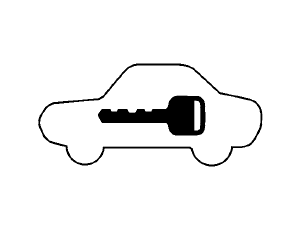
Security indicator light
The security indicator light blinks whenever the ignition switch is placed in the OFF, LOCK or ACC position. This function indicates the NISSAN Vehicle Immobilizer System is operational.
If the NISSAN Vehicle Immobilizer System is malfunctioning, the light will remain on while the ignition switch is placed in the ON position.
If the light still remains on and/or the engine will not start, see a NISSAN dealer for NISSAN Vehicle Immobilizer System service as soon as possible. Please bring all registered keys that you have when visiting your NISSAN dealer for service.
See also:
Towing recommended by NISSAN
All-Wheel Drive (AWD) models
NISSAN recommends that towing dollies be
used when towing your vehicle or place the
vehicle on a flatbed truck as illustrated.
CAUTION
Never tow AWD models with any ...
How to use INFO button
The display screen shows vehicle and navigation
information for your convenience.
The information shown on the screen should be
a guide to determine the condition of the vehicle.
See the follo ...
Vehicle load capacity
Basic information
Before driving the Nissan Murano with passengers, luggage, or other cargo, verify that the total loaded weight
does not exceed the Gross Vehicle Weight Rating (GVWR) or either G ...