
Making a call
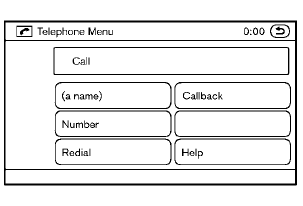
To make a call, follow the procedures below.
1. Push the  button on the
steering wheel.
button on the
steering wheel.
A tone will sound.
2. Speak: “Call”. The system acknowledges
the command and announces the next set of
available commands.
3. Speak the registered person’s name. The
system acknowledges the command and
announces the next set of available commands.
4. Speak: “Yes”. The system acknowledges the
command and makes the call.
5. Once the call has ended, press the
button on the steering wheel.
See also:
Basic Information. BSW system operation
Basic Information
WARNING Failure to follow the warnings and instructions for proper use of the Blind Spot
Warning system could result in a collision, serious injury, or death.
The BSW sy ...
iPod®* player operation without Navigation System (if so equipped)
Connecting iPod®
CAUTION
● Depending on size and shape of the
iPod® and iPod® cable, the console lid
may not fully close. Do not force console
lid closed as this may damage the
iPod® ...
System maintenance
Basic Information
Radar sensor B is installed at the front of the vehicle, while camera A is positioned near the upper section of
the windshield. Together, these components monitor the road ...