
Heated seats (if so equipped)
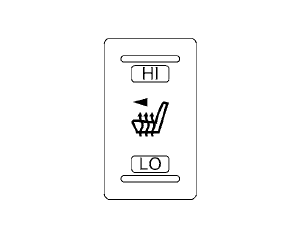
The front seats are warmed by built-in heaters.
1. Start the engine.
2. Push the LO or HI position of the switch, as
desired. The indicator light in the switch will
illuminate.
The heater is controlled by a thermostat, automatically turning the heater on and off.
The indicator light will remain on as long as the switch is on.
3. When the seat is warmed or before you leave the vehicle, be sure to turn the switch off.
WARNING
Do not use or allow occupants to use the seat heater if you or the occupants cannot monitor elevated seat temperatures or have an inability to feel pain in body parts that contact the seat. Use of the seat heater by such people could result in serious injury.
CAUTION
● The battery could run down if the seat
heater is operated while the engine is
not running.
● Do not use the seat heater for extended
periods or when no one is using the
seat.
● Do not put anything on the seat which
insulates heat, such as a blanket, cushion,
seat cover, etc. Otherwise, the seat
may become overheated.
● Do not place anything hard or heavy on
the seat or pierce it with a pin or similar
object. This may result in damage to the
heater.
● Any liquid spilled on the heated seat
should be removed immediately with a
dry cloth.
● When cleaning the seat, never use
gasoline, benzine, thinner, or any similar
materials.
● If any malfunctions are found or the
heated seat does not operate, turn the
switch off and have the system checked
by your NISSAN dealer.
See also:
Control panel buttons — color screen without Navigation System (if so
equipped)
1. STATUS button
2. INFO button
3. NISSAN controller
4. OFF brightness control
button
5. BRIGHT + (brightness control) button
6. BRIGHT – (brightness control) button
7. BACK (previ ...
Rear seat air conditioner
1. OFF button
2. Fan speed increase (+) button
3. AUTO button
4. Temperature increase ( )
button
5. Temperature decrease ( )
button
6. Display
7. Fan speed decrease (-) button
The rear se ...
Cleaning exterior
In order to maintain the appearance of your vehicle, it is important to take
proper care of it.
To protect the paint surfaces, wash your vehicle as soon as you can:
- after a rainfall to prevent p ...