
Keys
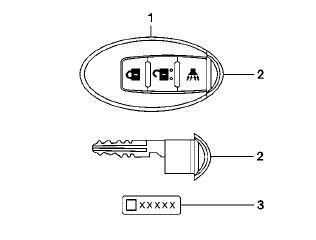
Type A
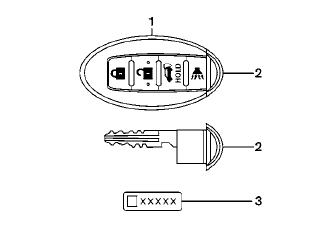
Type B
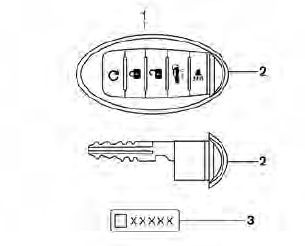
Type C
1. Intelligent Key (2 sets)
2. Mechanical key
3. Key number plate (1 plate)
See also:
Power steering
WARNING
If the engine is not running or is turned
off while driving, the power assist for
the steering will not work. Steering will
be harder to operate.
The power assisted steering uses a hydrau ...
Off-road recovery
If the right side or left side wheels unintentionally
leave the road surface, maintain control of the
vehicle by following the procedure below.
Please note that this procedure is only a general
...
Air fresheners
Most air fresheners use a solvent that could
affect the vehicle interior. If you use an air
freshener, take the following precautions:
• Hanging-type air fresheners can
cause
permanent discolo ...