
Vehicle identification number (chassis number)
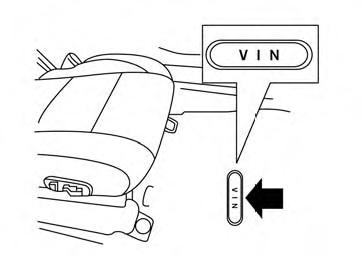
The vehicle identification number is located as shown.
See also:
Interior light
When the ON switch 1 is pressed, the footwell
lights (if so equipped), step lights (if so
equipped), map lights and rear personal lights
will automatically turn on and stay on for a period
of ti ...
Repair and replacement procedure
The front air bags, side air bags, curtain and
rollover air bags and pretensioners are designed
to activate on a one-time-only basis. As a
reminder, unless it is damaged, the supplemental
air bag ...
Operating the HomeLink® universal transceiver
The HomeLink® Universal Transceiver (once
programmed) may now be used to activate the
garage door, etc. To operate, simply press the
appropriate programmed HomeLink® Universal
Transceiver button ...