
Vents
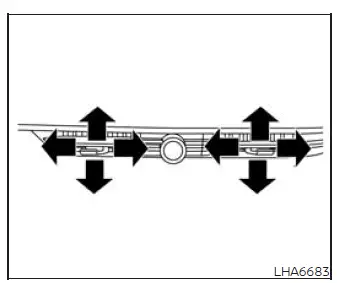
Center
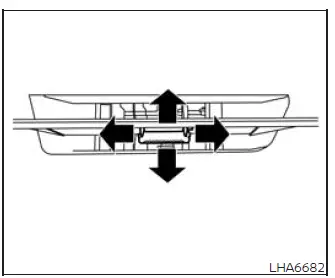
Side
Adjust the direction of airflow from the center and side vents by moving the vent slides as illustrated. Position the slides until the air is directed toward the desired area of the passenger compartment.
To close a center or side ventilator, move its slide fully in the illustrated closing direction. Reposition the slide when airflow from that vent is required again.
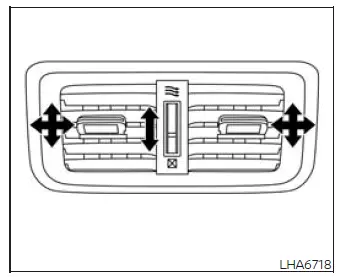
Rear
Adjust the direction of airflow from the rear vents by moving the vent slides as illustrated. Each slide can be positioned to direct air toward the preferred area of the rear passenger compartment.
Use the dial to regulate whether the rear vents are open or closed.
Move the dial toward the
 symbol to open
the vents, or toward the
symbol to open
the vents, or toward the
 symbol to
close them.
symbol to
close them.
See also:
Precautions when starting and driving
- Do not leave children or adults who would normally require the support of
others alone in your vehicle. Pets should not be left alone either. They could accidentally
injure themselves or other ...
CD care and cleaning
● Handle a CD by its edges. Do not bend the
disc. Never touch the surface of the disc.
● Always place the discs in the storage case
when they are not being used.
● To clean a d ...
Drive belt
1. Drive belt automatic tensioner
2. Generator
3. A/C compressor
4 Crankshaft pulley
WARNING
Be sure the ignition key is in the OFF or
LOCK position before servicing drive belt.
The engine ...