
Basic Information. LDW system operation
Basic Information
WARNING Failure to follow the warnings and operating instructions for the Lane Departure Warning system could result in loss of vehicle control, serious injury, or death.
- The LDW system is only a warning feature designed to alert the driver to a possible unintended departure from the current traffic lane. It does not steer the Nissan Murano, return the vehicle to the center of the lane, or prevent a loss of control. The driver remains responsible for staying attentive, maintaining a safe course, keeping the vehicle within the appropriate lane, and controlling the vehicle at all times.
The LDW system operates when the vehicle is traveling at approximately 37 mph (60 km/h) or higher and the lane markings on the road are sufficiently clear for the camera to detect. If road markings are faded, covered, interrupted, or difficult to distinguish, the function may not provide a warning.
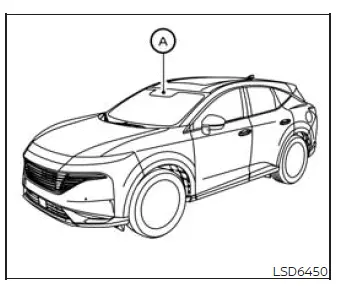
The system monitors the lane markers on both sides of the current travel lane using camera unit A, which is mounted above and in front of the inside rearview mirror.
If the LDW system determines that the Nissan Murano is beginning to move out of its lane unintentionally, it warns the driver by displaying an indicator and producing a vibration through the steering wheel. The driver must immediately evaluate surrounding traffic and steer the vehicle back into the proper lane when it is safe to do so.
LDW system operation
- Lane Departure Warning (LDW)
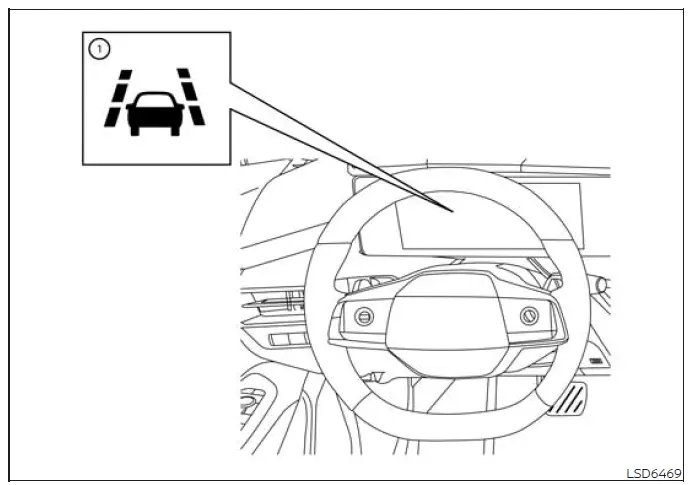
The Lane Departure Warning system provides an alert when the Nissan Murano is traveling at approximately 37 mph (60 km/h) or faster and the road markings are sufficiently clear for the front camera to recognize. If the vehicle begins approaching the left or right boundary of the current travel lane, the steering wheel vibrates and LDW indicator 1 on the instrument panel flashes yellow to draw the driver's attention to the potential unintended lane departure.
The warning will stop after the vehicle moves back within the detected lane markings. The driver must remain attentive and make the necessary steering correction, because the LDW system only provides a warning and does not steer the vehicle back into the lane.
The intensity of the steering-wheel vibration can be adjusted through the settings menu in the vehicle information display. Select a level that can be recognized clearly without distracting from normal control of the Nissan Murano.
How to enable/disable the LDW system
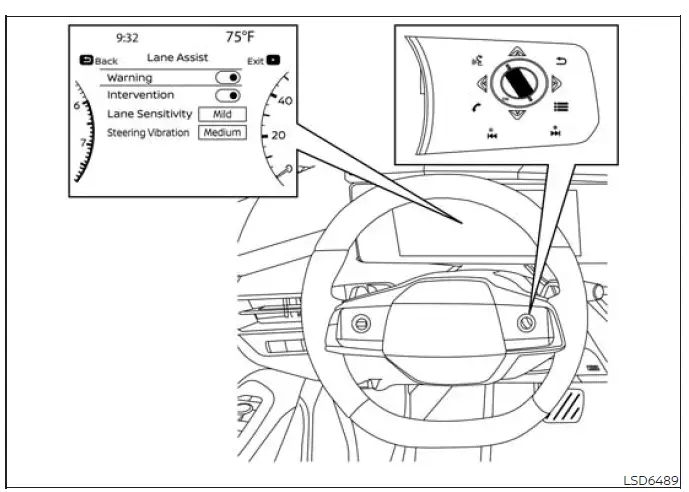
Complete the following steps to enable or disable the Lane Departure Warning system:
1. Press the  button repeatedly
until "Settings" appears in the vehicle information display, and then press the OK button. Use the scroll dial
on the steering-wheel controls to highlight "Driver Assistance," and press the OK button to open the menu.
button repeatedly
until "Settings" appears in the vehicle information display, and then press the OK button. Use the scroll dial
on the steering-wheel controls to highlight "Driver Assistance," and press the OK button to open the menu.
2. Select "Lane Assist," and then press the OK button to access the available lane-support settings.
3. Select "Warning" and press the OK button to switch the LDW system on or off. Confirm the selected setting in the vehicle information display before returning to the main screen.
NOTE: The Nissan Murano retains the current LDW on or off setting after the engine is restarted. The system will continue using the selected preference until the driver changes it through the vehicle information display.
See also:
Engine oil and oil filter
recommendations
Selecting the correct oil
Choosing engine oil with the correct grade, quality level, and viscosity is essential for maintaining
satisfactory engine performance and service life. The oil select ...
Hill start assist system
WARNING
Never rely exclusively on the hill start assist system to prevent the vehicle from rolling backward on an
incline. Always remain attentive and ready to control the Nissan Murano wit ...
Vehicle information display warnings and indicators
Basic Information
The following messages may appear in
your vehicle information display. These warnings and indicators are designed to give the driver quick, practical
information about key op ...